Blogs | Steelstrong Valves

How to Choose the Right Passive DAC Cable?

Choosing the right Passive Dac Cable is less about picking the shortest label on a product page and more about matching the cable to your equipment. Check the switch and server ports, supported data rate, cable length, and vendor compatibility list. A cable that fits physically may still fail to work reliably with a particular platform.

Information theorist Claude Shannon wrote of “reproducing at one point either exactly or approximately a message selected at another point.” He was not discussing DAC cables, but the principle helps explain why signal integrity and compatibility matter. A passive DAC uses copper twinax conductors, without the signal-conditioning electronics found in active cables. That makes reach and platform support especially important. Short, supported links are usually the sensible starting point.

Measure the route, too. A cable that barely reaches can tug against a port when a server tray slides out. Too much length can crowd a rack. Small details matter. Confirm the cable’s listed speed and compatibility before ordering, then check that both connected devices support the same link rate. Vendor coding and firmware requirements can affect operation; do not assume that every cable with matching connectors will work.

There is no universal best choice. A reasonable selection balances required reach, verified compatibility, and installation space. Even then, documentation can be incomplete. Verify the exact part number when possible, and test the link after installation. A few minutes of checking can prevent an avoidable return—or a frustrating port that stays dark.
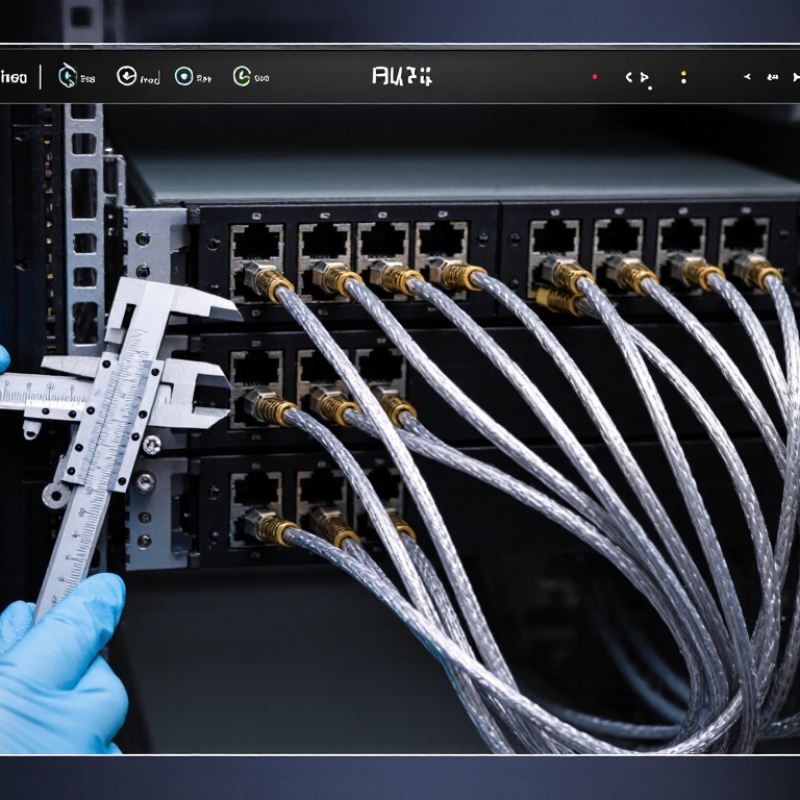
How to Choose the Right Passive DAC Cable?

Identify Port Form Factor and Lane Rate: SFP+ 10G, SFP28 25G, QSFP28 100G

How to Choose the Right Passive DAC Cable?

Passive direct-attach copper cables are a practical choice for short links inside a rack. Match the connector shape and data rate at both ends. Read the port labels and equipment specifications; cable appearance alone can mislead. SFP+ commonly supports 10G, while SFP28 is designed for 25G. QSFP28 typically carries 100G over four 25G lanes. Small labels matter.

Check both ends. A QSFP28 port may support four separate 25G connections, but only if the device supports breakout mode and the cable has compatible connectors. A port that looks suitable may still be configured for a different lane rate. I double-check this because the shape can seem right while the operating mode is wrong. Confirm compatibility in the equipment documentation before ordering.

Cable length matters too. Measure the actual route between devices, allowing room for bends and cable management. Passive copper usually suits short connections; longer runs may need another cable type, depending on the equipment and signal requirements. Avoid buying extra length just in case, since bundled cables can obstruct airflow and complicate servicing. When uncertain, verify the supported cable length and port mode with the system specifications.

Define Required Reach: Passive DACs commonly serve short links around 1–5 m

Passive DACs are commonly used for short connections, often around 1–5 m. That range suits links between nearby switches, servers, or storage equipment in the same rack. Measure the real path. Rack spacing alone can be misleading: cables may need to run around rails, cable guides, or nearby equipment. Leave a little slack for service access, but avoid a loose coil that blocks airflow.

Check the actual route before choosing a length. A 1 m cable may look neat on paper and still be too tight once connected. Not a good surprise. In practice, a few extra centimeters can make installation and later maintenance easier. Keep bends gentle, and do not pull the cable taut across a rack opening.

The usable reach depends on the cable design, data rate, and the ports at both ends. Treat 1–5 m as a common range, not a guarantee for every setup. Review the equipment specifications for passive-cable support at the required speed and length. After installation, confirm that the link comes up at the intended rate and remains stable under normal traffic. If errors appear, check seating and cable routing before assuming the cable itself is faulty.

How to Choose the Right Passive DAC Cable?

Passive DAC cables are commonly used for short links of around 1–5 m. Choose a cable long enough to reach between your devices while avoiding unnecessary extra length. The chart shows that typical range, not a performance rating.

Match the Interface MSA: SFF-8431 for SFP+ and SFF-8636 for QSFP

How to Choose the Right Passive DAC Cable?
Match the Interface MSA: SFF-8431 for SFP+ and SFF-8636 for QSFP

Start with the port, not the cable’s advertised speed. SFP+ passive DACs should match the host’s SFF-8431 electrical interface. The SFF specification describes 10 Gb/s SFP+ requirements; IEEE 802.3 specifies a 10.3125 Gb/s line rate for 10GBASE-R. Check the switch or server documentation, then confirm the cable’s supported rate and length. A connector that fits is not proof of compatibility.

For QSFP+ and QSFP28, SFF-8636 defines the module management interface, including identification and monitoring data. It is not, by itself, the complete high-speed electrical specification. Confirm the relevant QSFP electrical MSA and Ethernet rate too. For example, IEEE 802.3’s 40GBASE-CR4 uses four 10.3125 Gb/s lanes. Small detail. Lane count matters when matching a cable to a port.

Before ordering, check both ends: SFP+ to SFP+, or QSFP to QSFP, unless the equipment explicitly supports a breakout configuration. Review the cable’s EEPROM coding and the platform’s compatibility list; some hosts reject otherwise suitable cables. SNIA’s SFF specifications and IEEE 802.3 are useful primary references. Standards can still leave practical questions, so verify the exact device model and cable reach. A short rack connection may work perfectly, but assumptions are an unreliable test.

How to Choose the Right Passive DAC Cable? — Match the Interface MSA: SFF-8431 for SFP+ and SFF-8636 for QSFP

Host Interface Relevant MSA Reference Typical Link Configuration Nominal Link Rate Passive DAC Use Typical Reach Guidance What to Verify Before Ordering
SFP+ SFF-8431 One electrical lane at 10 Gb/s; SFP+ connector at each end for a standard direct link. 10 Gb/s Common choice for short 10GbE connections between compatible switches, servers, and network adapters. Passive copper assemblies are commonly offered for short runs up to about 5 m. The usable distance depends on cable construction and the equipment ports. Confirm both ports accept SFP+ DACs, support the required 10Gb/s rate, and recognize the cable’s EEPROM coding where applicable.
QSFP+ SFF-8636 Four lanes, typically 10 Gb/s per lane. 40 Gb/s aggregate Used for short 40GbE links. A compatible QSFP+ breakout DAC can also connect one QSFP+ port to four SFP+ ports when the equipment supports that mode. Passive copper versions are commonly used for short runs, often up to around 5 m; check the specific cable and port documentation. Check the port’s supported QSFP generation, lane mode, breakout support, and required end configuration.
QSFP28 SFF-8636 Four lanes, typically 25 Gb/s per lane. 100 Gb/s aggregate Used for short 100GbE links. Breakout to four 25Gb/s lanes is possible only when supported by the host port and the chosen cable configuration. Passive copper options are generally intended for shorter runs; maximum supported length is product- and equipment-dependent and may be less than for lower-rate DACs. Verify 100GbE support, lane rate, breakout capability, cable length, and compatibility with both devices.
SFP+ to QSFP+ / QSFP28 breakout SFF-8431 at the SFP+ ends; SFF-8636 at the QSFP end One QSFP port fans out to four separate SFP+ connections; each branch operates as an individual lane. Commonly 4 × 10 Gb/s with a QSFP+ host port; other lane rates require explicit port and cable support. Useful for connecting a higher-density QSFP port to multiple SFP+ devices over short distances. Reach is limited by the cable assembly and the most restrictive connected port; consult the cable specification. Confirm the QSFP port supports breakout, the intended lane rate, and the required switch configuration. A breakout cable is not equivalent to a standard one-to-one DAC.

Selection tip: Match the connector form factor and supported data rate at both ends. MSA references identify interface specifications; they do not by themselves guarantee that every cable will work with every device. Passive DAC reach and interoperability vary by cable design and host equipment.

Verify Cable Coding and Compatibility with Each Vendor’s Supported DAC List

How to Choose the Right Passive DAC Cable?

Verify Cable Coding and Compatibility with Each Vendor’s Supported DAC List

A passive DAC cable can fit the port and still fail to establish a link. Physical fit is only one check. Before ordering, consult the equipment vendor’s supported DAC list and match the cable’s exact part number, length, and data rate. Similar-looking codes may describe different cable coding or compatibility.

Check how the cable identifies itself to the host device. Many cables contain electronic identification data, and some ports accept only listed coding profiles. Confirm the supported port speed at both ends, plus any distance limits. Looks can deceive. A cable listed for one switch model or port family is not automatically approved for another.

Compatibility lists can be untidy; entries may use shortened codes or vary by hardware revision. If details do not match, ask the vendor to confirm in writing before purchase. Keep the response and the list version with your order records. This check is easy to rush, especially when two cables appear identical. Still, relying on appearance alone can leave you troubleshooting a link that never comes up.

Check Link Rate, FEC, and Error Counters After Installation at Full Load

How to Choose the Right Passive DAC Cable?

A passive DAC can show “link up” while still struggling under traffic. After installation, confirm the negotiated link rate matches the intended port speed. Check both ends; a mismatch can quietly leave a link operating below capacity. Then verify the configured FEC mode against the host and switch requirements. IEEE 802.3 specifies RS(544,514) FEC for selected Ethernet PHYs: 30 parity symbols protect 514 data symbols, about 5.8% overhead relative to data. This is not universal across every link. Confirm the PHY specification before judging its counters.

Run representative traffic at full load, then record corrected and uncorrectable FEC codewords, CRC/FCS errors, symbol errors, retrains, and link flaps. Start with a clean baseline. Watch the counters during sustained traffic, not just during a brief speed test. Rising corrected errors deserve attention; uncorrectable errors or link resets are stronger warning signs. A zero count is reassuring, not proof of perfect signal quality.

One caveat: FEC can conceal a marginal channel by correcting errors, so “no drops” is not the whole story. Compare results at both ends and repeat after reseating the cable. That extra check can feel fussy. It is still useful. Use the PHY’s documented limits, since acceptable thresholds vary by interface and FEC mode.